
v2RayTun
Screenshots
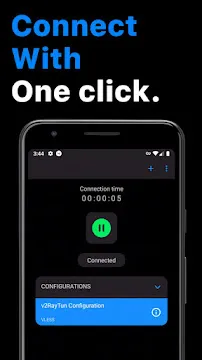
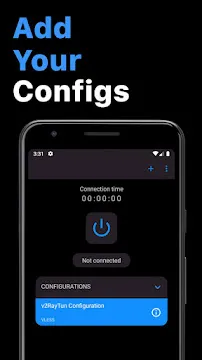
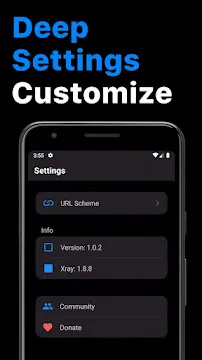
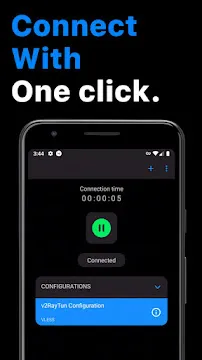
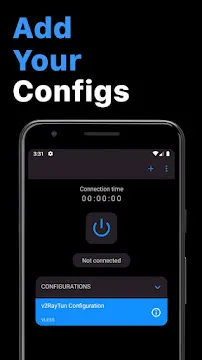
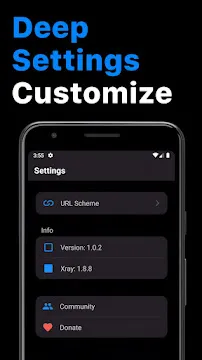
v2RayTun helps you manage custom proxy servers with absolute ease and speed. You can secure your internet traffic through this application without dealing with complex setups. Many people struggle to find a reliable proxy client today. However, this application simplifies the entire process for every type of user.
It offers a clean design that allows you to connect instantly. You just need your own server configurations to start browsing securely. Navigating online restrictions requires a highly capable tool. This app meets that requirement without slowing down your phone.
It caters to both beginners and advanced network administrators alike. You will notice the difference immediately after launching it. It removes the stress of managing daily private connections. Let us dive deep into what makes this tool special.
What Is v2RayTun and How Does It Work?
v2RayTun operates as a dedicated proxy client for custom network connections. It does not provide built-in servers for your internet connection. Instead, you import your own private proxy details into the app interface.
Then, the tool builds a secure tunnel for your mobile data traffic. This process masks your actual location effectively. Consequently, you can bypass local network restrictions without any hassle.
The application uses advanced cores to process your data packages quickly. It handles your requests locally on your device. Therefore, your internet speed remains stable and fast during your browsing sessions.
Moreover, the system supports modern proxy protocols seamlessly. You can change your routing rules anytime inside the settings. This flexibility gives you complete authority over your data path.
In other words, you decide which applications use the proxy tunnel. Your mobile device sends data directly through the chosen server node. The server acts as a middleman between your device and the web.
As a result, destination websites only see the server IP address. Your private identity stays safe from external tracking attempts. This setup guarantees smooth performance across all connected applications.
Essential Benefits of Using v2RayTun for Your Privacy
v2RayTun shields your personal information from internet service providers and hackers. Public Wi-Fi networks often expose your sensitive data to external threats. For instance, malicious actors can intercept unencrypted internet traffic easily.
This application prevents such risks by scrambling your data completely. As a result, no third party can track your online behavior or habits. Your actual IP address remains completely hidden from the websites you visit.
This feature enhances your security whenever you browse the web. To clarify, you get a clean slate for your internet privacy. In addition, the tool operates with a strict localized structure.
It keeps all setup details inside your physical device memory. The application never sends your configurations to any central server. Thus, you maintain absolute ownership of your private network data.
Security professionals highly recommend using proxy tunnels for daily browsing. Encryption ensures that your passwords and credentials remain unreadable. Therefore, you can access your accounts safely from any location worldwide.
Why Choose v2RayTun for Secure Network Routing?
v2RayTun gives you deep control over your network routing options. Standard applications force all your mobile traffic through a single connection. However, this application lets you customize your data pathways with ease.
You can separate your regular local apps from your proxy traffic. For example, you can route your bank application through your normal internet provider. Meanwhile, your web browser can use the encrypted proxy tunnel.
This method saves your high-speed proxy data for essential tasks. Consequently, you optimize your total device battery life and network performance. Furthermore, the application connects to your custom server within seconds.
It avoids long loading times or frequent disconnects. You receive a smooth and consistent connection whenever you activate the toggle. This reliability makes it an excellent choice for daily network management.
Custom routing also reduces the risk of account blocks on local websites. Some local services flag foreign proxy IP addresses as suspicious. By utilizing selective routing, you prevent these annoying account locks completely.
Key Features of v2RayTun App For Android
This application packs several critical components designed to enhance your connection. Let us explore the core elements available inside the interface.
Support for Advanced Xray Reality
This application supports the modern Xray Reality framework perfectly. This framework allows your proxy traffic to look like regular web browsing traffic. Consequently, network filters cannot detect or block your private connection easily.
It mimics secure connections to popular websites to maintain stealth. Therefore, you enjoy uninterrupted web access even on highly restrictive networks. This mechanism ensures high availability in difficult environment blocks.
Multiple Network Protocol Compatibility
You can use a wide variety of protocols inside this single application. For example, it supports VLESS, VMESS, and Trojan protocols effortlessly. It also handles traditional ShadowSocks and SOCKS connections without issues.
This wide support means you do not need multiple apps on your phone. You can load any protocol script and connect immediately. It adjusts to your custom server backend automatically.
Strong Encryption Algorithms
Security remains a top priority for this specific application. You can choose from several strong encryption methods. For instance, it includes AES-128-GCM, AES-256-GCM, and Chacha20-IETF options.
These protocols wrap your internet data in unreadable code shields. As a result, nobody can decode your private messages or browsing history. Your online transactions stay safe at all times.
Flexible Configuration Importing
Setting up a new proxy server takes only a few seconds. You can import configurations using four different methods. First, you can scan a quick QR code with your phone camera.
Second, you can paste the configuration string from your device clipboard. Lastly, it supports direct deep links and manual text entry. These seamless methods remove human error from the configuration process.
Local Data Privacy Policy
The application respects your digital footprint completely. It does not save any user log information on external databases. All network activity records remain strictly inside your local device storage.
The developers never track what websites you visit or when you connect. In short, your data belongs solely to you. This transparency guarantees a trustworthy browsing experience over time.
Built-in Latency Testing Tools
You can check the speed of your proxy servers before connecting. The application includes a highly accurate ping tool inside the main dashboard. It measures the response time of each server node in milliseconds.
Therefore, you can select the fastest connection path with a single tap. This tool eliminates guesswork and ensures smooth performance. It helps you drop slow servers immediately.
How to Download and Install v2RayTun APK
You can download the genuine APK file directly from our website right now. We provide the latest version of the application for quick installation. Follow the structured process below to set up the application on your device safely.
- Download the APK File:
- Navigate to the download section on our website. Click the direct link to download the installation file into your storage.
- Enable Unknown Sources:
- Open your device settings menu. Go to security and toggle on the permission to install files from unknown sources.
- Locate the Downloaded File:
- Open your default file manager application. Search for the downloaded file inside your main download folder.
- Run the Installer Wizard:
- Tap on the file to launch the setup. Click install and follow the prompts until the process finishes.
After completing these steps, the application icon will appear on your screen. You can now launch it and add your custom proxy details. Make sure to download only from our official site for absolute verification.
v2RayTun App Tips and Tricks
To get the best performance, you must follow a few simple strategies. Always test your server ping before you initiate the full connection. The application includes a built-in latency checker for this exact purpose.
Lower ping values mean you will experience much faster browsing speeds. Likewise, keep your geofiles updated to ensure accurate routing rules. These files help the application identify your local traffic from international data.
You can set the update download to happen automatically in the background. This setting ensures your network filters always work correctly. Moreover, organize your proxy profiles carefully if you manage multiple servers.
Grouping them helps you switch locations quickly according to your immediate needs. You can rename each profile to match its specific region or purpose. This step keeps your list clean and professional.
- Always use the clipboard import method for long configuration strings.
- Turn on the background auto-update option for your active subscriptions.
- Exclude your local banking apps from the proxy tunnel for security.
- Select Chacha20 encryption if you use an older mobile device processor.
- Organize your proxy servers into collapsible lists to reduce screen clutter.
- Clear the application cache periodically to maintain optimal responsiveness.
- Test multiple server nodes during peak hours to find stable connections.
v2RayTun App Pros and cons
Every mobile application has its distinct advantages and regular disadvantages. Reviewing these points helps you understand what to expect during daily usage.
Pros
- The clean interface allows for quick navigation and fast setup.
- It supports five major proxy protocols inside one single system.
- The application does not collect or share user browsing data.
- Xray Reality support helps bypass advanced network filters easily.
- You can import servers instantly via simple QR code scans.
- The integrated ping test allows users to find the fastest node.
- The system allows for customized routing of individual phone apps.
Cons
- It does not include any free built-in proxy servers.
- The advanced settings require some technical knowledge to configure manually.
- Improper routing rules can cause specific local apps to load slowly.
- Frequent background auto-updates might consume additional mobile data.
- The application lacks an integrated troubleshooting guide for connection errors.
Conclusion
To sum up, v2RayTun provides an excellent solution for custom proxy management. It gives you all the tools required to secure your personal internet traffic. The application avoids unnecessary cloud storage to keep your data private.
Moreover, its fast importing methods save you precious time during setup. You can take complete control of your digital privacy today. Download the application from our website to experience safe, encrypted browsing right away.
Your mobile device deserves a security client that handles data with care. This application fulfills that goal through robust, modern engineering. Trust our verified download file to kickstart your journey toward true internet freedom.
- aaShell
-
ExpressVPN
 Download
ExpressVPN: VPN Fast & Secure
ExpressVPN secures your mobile internet connection against...
- Firefox Nightly
- Samsung Galaxy Store
- Huawei AppGallery
- Samsung Reminder
- ByeByeDPI
- Bazaar